Blog post
Insights
Ecommerce Email Guide: Flows That Drive Repeat Sales
Approximately 4.55 billion people worldwide used email in 2025, according to Shopify's email marketing statistics. For a store owner, the opportunity isn't reaching more inboxes. It's communicating with people who have already shown interest, then helping them make a useful next decision.
A strong ecommerce email program doesn't stop at welcome discounts and checkout reminders. It also addresses three less visible retention levers: deliverability, so customers can receive messages; accessibility, so they can use them; and incremental testing, so you can tell whether those messages changed buying behavior.
A broadcast newsletter is like a sign on your shop door that everyone reads at once. An automated flow is like a staff member who speaks when a customer reaches for a particular item.
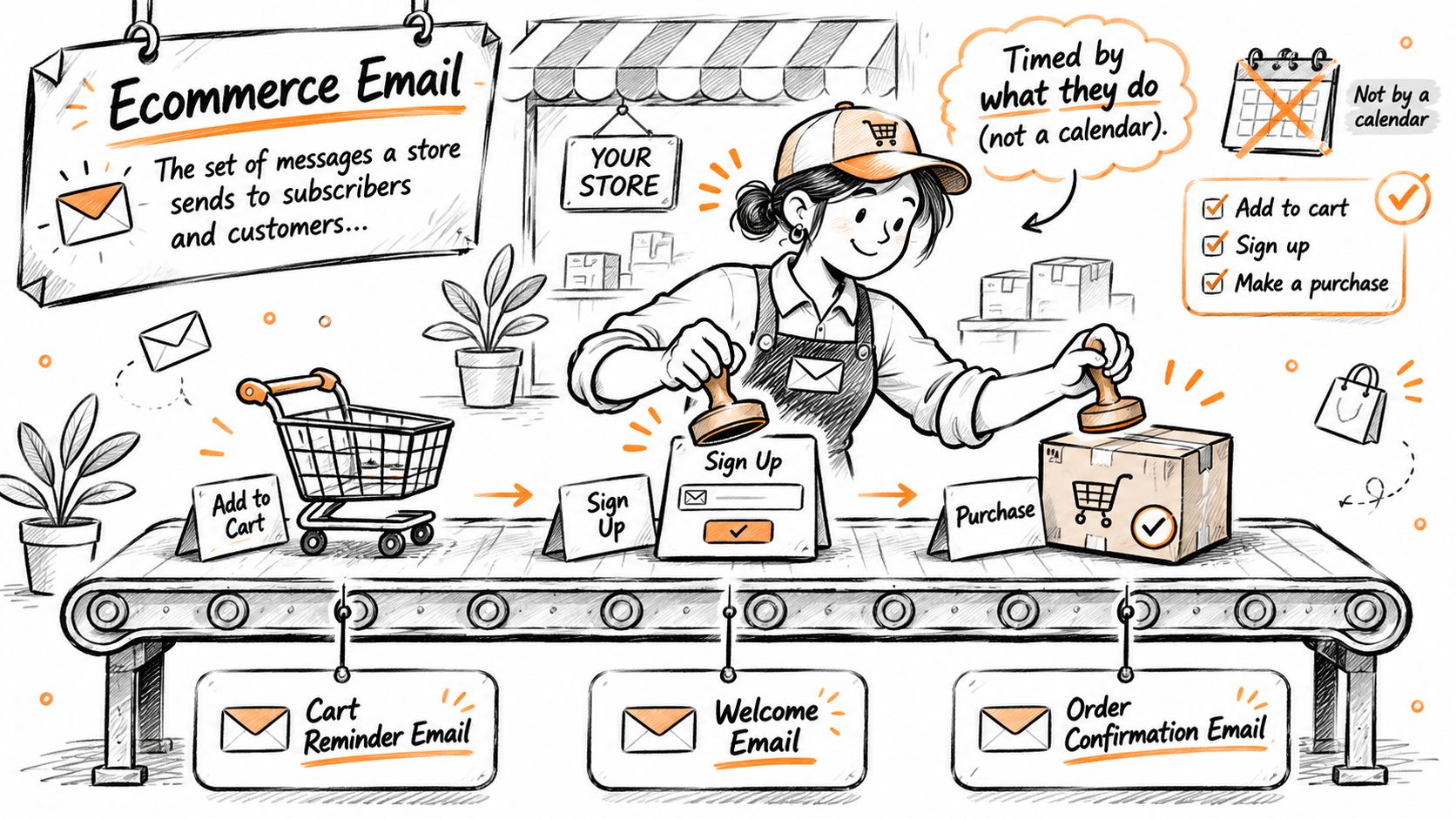
Ecommerce email includes the messages a store sends to subscribers and customers. In a lifecycle program, you time those messages around customer actions rather than relying entirely on a promotional calendar.
The automation starts with a trigger, such as a signup or purchase. Filters then decide whether the person qualifies, and exit rules stop messages that are no longer relevant.
The diagram shows how customer actions become different communication paths.
Treat these timings as starting configurations to test, not universal sending rules.
| Flow | Trigger | Main Job | Timing |
|---|---|---|---|
| Welcome series | New subscriber signs up | Introduce the brand and win the first purchase | Within minutes of signup, then over several days |
| Browse abandonment | Product viewed, nothing added to cart | Re-engage interest in a viewed product | Within hours of browsing |
| Checkout abandonment | Cart created, order not completed | Recover an order already in progress | Within about an hour, then follow-ups |
| Post-purchase | Order placed or delivered | Cross-sell, collect reviews, build loyalty | After delivery and again days later |
| Replenishment | Expected reorder point reached | Prompt a repeat purchase before the product runs out | Based on the product's usage cycle |
| Win-back | Customer lapsed beyond a set period | Reactivate a past buyer | After a defined period of inactivity |
Browse abandonment addresses interest, while checkout abandonment addresses an unfinished buying decision. Don't treat them as interchangeable: someone examining a product may need an explanation, while someone leaving checkout may need clarity about delivery or returns.
For a practical shipping-information example, Rip Van gives shoppers a resource to check shipping minimums before ordering. Your recovery email should make your own shipping conditions equally easy to find, rather than hiding them behind another discount.
Post-purchase messaging needs a similar distinction. An order receipt confirms a transaction; a care guide helps someone succeed with the product. Keep those purposes clear, especially when separating transactional communication from promotional content.
Priority rule: A consumable-product store should prioritize replenishment after establishing its acquisition flows. A store with long purchase cycles should prioritize post-purchase education.
List your current flows and mark which of these six you lack. Beside each missing flow, write the customer problem it would solve before deciding to build it.
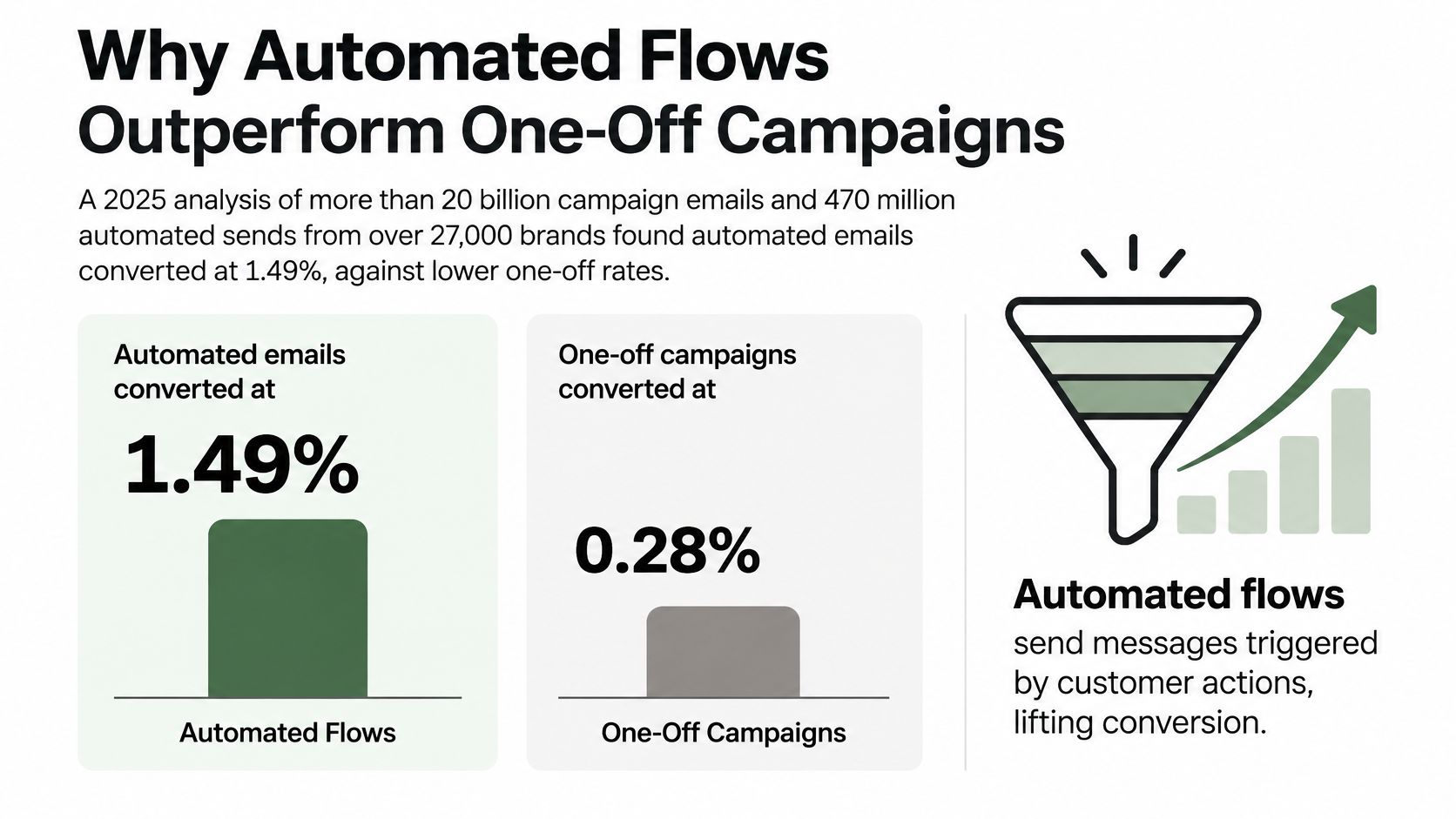
Automated emails converted at 1.49%, compared with 0.08% for one-off campaigns, in a 2025 analysis covering more than 20 billion campaign emails and 470 million automated sends from over 27,000 brands, summarized by Hello Retail. That analysis also estimated revenue per email at $3.41 for automation versus $0.155 for scheduled campaigns, roughly a twenty-twofold difference.
The practical distinction is intent. A subscriber who just abandoned checkout has a specific unfinished task; a campaign recipient may not be shopping at all.
This comparison illustrates the conversion gap.
Klaviyo benchmark findings summarized by Shopify's customer retention guide report that flows generated nearly 41% of email revenue from only 5.3% of sends, with a 2.11% placed-order rate versus 0.16% for campaigns and roughly 18 times more revenue per recipient.
The table combines those distinct benchmark sets. Offer, product category, consent, deliverability, creative quality, and measurement methodology affect results, so these are patterns to test, not guarantees or directly interchangeable measures.
| Measure | Automated Flows | One-Off Campaigns |
|---|---|---|
| Conversion rate per email | 1.49% | 0.08% |
| Revenue per email | $3.41 | $0.155 |
| Placed-order rate (Klaviyo benchmark) | 2.11% | 0.16% |
| Revenue per recipient (Klaviyo benchmark) | About 18 times the campaign figure | Baseline |
Say someone buys a coffee grinder. A useful follow-up can explain grind settings for the brewing method they selected, rather than promoting an unrelated bestseller.
The same principle applies before purchase. A checkout reminder can return someone to their selected variant and answer a delivery question. A newsletter can announce new products, but it usually lacks that immediate behavioral context.
Automation also changes the work involved. Once configured, a flow can serve newly eligible customers without your team rebuilding the audience and scheduling the message each time.
That doesn't mean you should leave it untouched. Inventory changes, broken product links, expired offers, and revised shipping terms can make an otherwise sound flow misleading.
Campaigns still have a place for launches, seasonal collections, and editorial content. The practical choice is to build the core customer journeys before increasing broadcast volume, then maintain both with clear ownership and routine checks.
A first order may leave little profit after advertising, fulfillment, and product costs. Repeat purchases can improve that relationship's economics, provided the extra revenue isn't consumed by discounts, returns, or service costs.
Customer lifetime value estimates what a customer contributes throughout the relationship. A simple revenue-based model multiplies average order value by purchase frequency and active customer lifespan; a profit-based model also accounts for margins and servicing costs.
Suppose a shopper spends $60 per order, orders three times a year, and remains active for two years. In this illustrative scenario, revenue-based lifetime value is $360.
If a replenishment program causes one additional purchase during that relationship, the hypothetical total becomes $420. The important word is causes: a purchase that would have happened anyway doesn't represent additional value from email.
For a fuller framework, use customer lifetime value analysis to distinguish revenue, contribution margin, and customer acquisition cost.
McKinsey reports that personalization can reduce customer-acquisition costs by as much as 50%, increase revenue by 5% to 15%, and improve marketing ROI by 10% to 30%, in its personalization explainer. Those are broader personalization findings, not forecasts for an individual email flow.
For your store, organize customers into acquisition-month cohorts. Track whether buyers from each cohort return, how long that takes, and whether their subsequent orders remain profitable.
A flow earns its place by improving the customer relationship's economics, not by reaching a large audience.
Sending the same message to everyone is faster to build. It also treats a new subscriber, a loyal buyer, and a dissatisfied customer as though they need the same conversation.
Historical findings from Klaviyo's ecommerce benchmark analysis show that businesses above $10 million in annual revenue used an average of 133.97 segments, compared with 13.36 among businesses below $100,000. The analysis covered approximately 1,000 U.S. companies and found email-attributed purchases averaged 27% of total store revenue in Q4 2016.
Those historical associations don't mean creating more segments causes growth. They show why deliberate audience selection belongs in the operating system, not as a finishing touch.
Purchase history separates customers by what they bought, how recently they bought, and whether they've returned. A first-time footwear buyer might enter a post-purchase care sequence, while a repeat buyer receives complementary accessories instead of another introduction.
Product interest uses signals such as viewed categories and wishlist items. A subscriber browsing linen clothing can receive fabric and fit guidance without being placed into a generic outerwear sequence.
| Segmentation Basis | Example Segment | Flow It Feeds |
|---|---|---|
| Purchase history | First-time buyer of a care-sensitive product | Post-purchase care guide |
| Product interest | Subscriber browsing a specific category | Category-relevant browse abandonment |
| Lifecycle stage | Past customer beyond the expected buying cycle | Win-back |
| Engagement | Subscriber with recent meaningful clicks | Relevant promotional follow-up |
Lifecycle stage describes the relationship. Someone who hasn't bought needs different reassurance from a past buyer whose usual reorder date has passed.
Engagement helps decide whether continued promotional contact is appropriate. Use meaningful interactions, including clicks, purchases, and preference updates, rather than treating every recorded open as proof of interest.
A useful segment tells you who shouldn't receive a message. Exclude recent purchasers from checkout recovery, pause promotional follow-ups during an unresolved support issue, and remove unsuitable products from recommendations.
Keep segment definitions understandable. Your team should be able to explain why a contact qualified without reconstructing a maze of overlapping conditions.
For implementation ideas, this email list segmentation guide can help translate customer differences into usable audience rules.
Start with two or three segments, measure each, and add another only when a meaningful difference calls for different content or timing. Which three segments would you build first?
A flow nobody receives earns nothing. Before editing subject lines, confirm that your sending identity and unsubscribe mechanisms work.
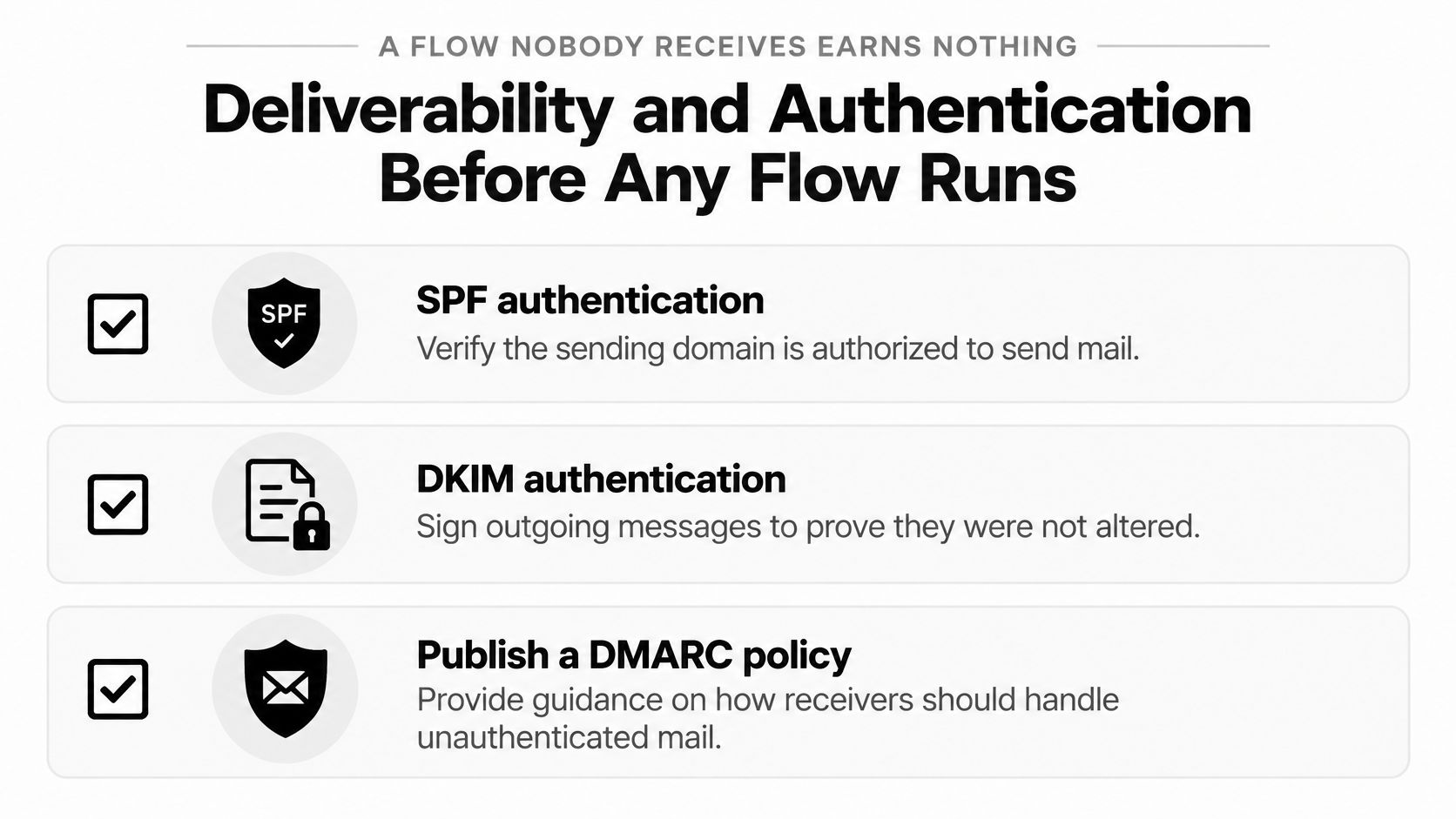
The Mailercloud summary of Gmail and Yahoo sender requirements specifies SPF and DKIM authentication, an aligned published DMARC policy, valid DNS configuration, one-click unsubscribe for marketing mail, and unsubscribe processing within two days; it describes Gmail bulk sending as approximately 5,000 or more messages to personal addresses within 24 hours, with complaint rates required to stay below 0.30% and lower preferred.
Use the checklist to organize the technical review.
Authentication establishes identity, but it doesn't replace permission. Your signup form should explain what subscribers will receive and give them a reason to expect your messages.
For an example of a category-specific signup destination, California Cowboy has an email list for cabin wear fans. Apply that audience-specific approach to your own form without assuming signup-page wording alone verifies consent or technical compliance.
An unsubscribe is a customer choosing to leave. A spam complaint tells the mailbox provider that the recipient considers your message unwanted.
Making departure difficult can push disengaged recipients toward the spam button. Track these outcomes separately, and investigate sudden changes after an acquisition campaign or frequency increase.
For a visual walkthrough, use the accompanying video.
This week, send test messages, inspect authentication results, complete an unsubscribe yourself, and review complaint trends by acquisition source. Use this guide to email deliverability and avoiding the spam folder to organize any remediation.
Your open-rate dashboard doesn't reliably tell you how many people read your email. Apple Mail Privacy Protection can generate recorded opens without human engagement, so optimizing a flow around opens can reward the wrong change.
The UK DMA's 2025 email benchmarking report, based on anonymized information from seven email service providers, reported 98% overall delivery in 2024, 99.2% for business-to-consumer email, a 35.9% open rate, and a 2.3% unique click rate.
Using that delivery benchmark in an illustrative comparison, 100,000 sends at 98% delivery produce 98,000 delivered messages, while 95% produces 95,000. That's 3,000 fewer opportunities before anyone clicks or purchases.
| Metric | What It Tells You | Main Trap |
|---|---|---|
| Delivery rate | Share of sends accepted by inbox providers | Hides spam-folder placement |
| Unique click rate | Distinct people who clicked | Automated scanners can inflate clicks |
| Conversion rate | Share of recipients who placed an order | Depends on the attribution window |
| Revenue per delivered message | Revenue divided by delivered emails | Can mislead when flows differ in audience size |
| Incremental revenue | Extra revenue against a holdout group | Needs a clean, randomly held-back group |
| Open rate | Opens recorded by the tracker | Inflated by privacy-driven machine opens |
Accepted delivery isn't inbox placement. A provider can accept a message and put it in spam, so pair delivery reporting with inbox-placement checks where available.
Revenue per delivered message also needs context. A narrowly targeted flow may have an impressive average while generating little total contribution; a broader program may have a lower average but produce more overall value.
A platform's attribution report assigns orders to messages under a chosen set of rules. It doesn't establish whether those customers would have ordered without the email.
To test that question:
Never withhold essential transactional notices for a marketing experiment. Your control group should miss the promotional treatment, not information needed to manage an order.
A customer ordering after an email is evidence of sequence. A clean comparison group helps establish whether the email changed the outcome.
Subtract discounts and relevant costs before interpreting the result as profit. Don't end the test because an early result looks encouraging, and avoid treating sparse order counts as a settled conclusion.
Judge each flow on incremental revenue per delivered message, alongside total incremental contribution. Use a holdout whenever the platform and eligible audience allow a credible test.
Research cited in Validity's 2025 benchmark report found that more than 90% of marketing emails contain critical or serious accessibility issues. That's a retention problem, not only a design concern.
A customer who can't read a replenishment reminder or follow a product-use guide may never act on it. Permission and relevant timing won't help if the message itself is unusable.
This illustration highlights the gap between sending a message and making it accessible.
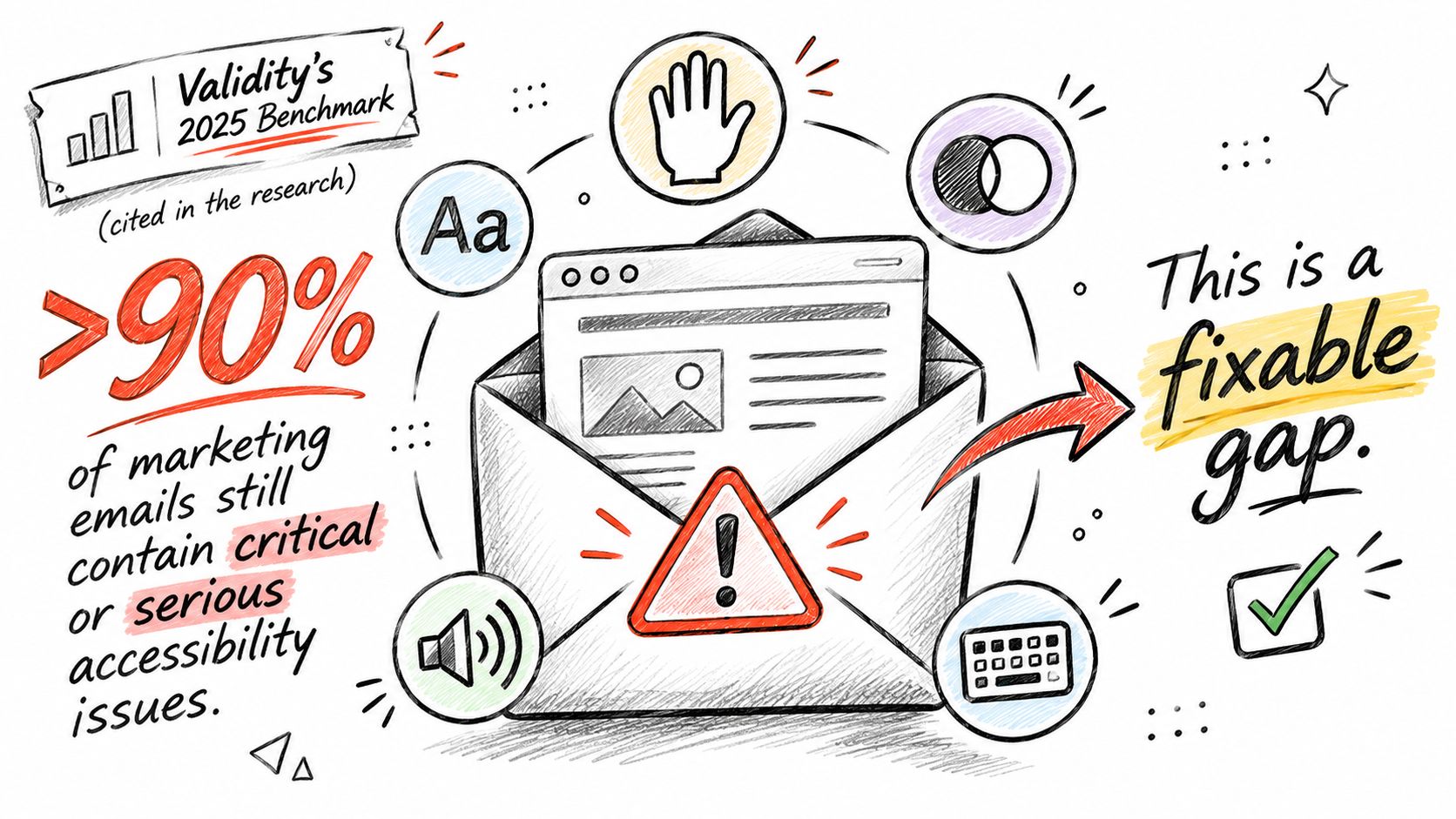
Start with the elements that carry meaning or enable action.
For a fashion email, useful alternative text might describe a jacket's cut and visible color when those details support the selection. For wellness, explain a product diagram's practical meaning without adding unsupported health claims.
For food, identify the featured product and relevant serving context. Don't place essential ingredient or allergen information only inside an image, and give purely decorative images empty alternative text.
Build accessibility into the template library first. Reusable, tested headings, buttons, and product blocks reduce the chance that each new campaign reintroduces the same barrier.
Then repeat the checks during send QA. A sound template can still become inaccessible when someone inserts an image containing all the offer details or replaces a descriptive button label with vague wording.
Prioritize flows carrying instructions customers need to understand. Care, preparation, product setup, and replenishment messages deserve particular attention because the recipient needs more than an attractive product image.
Run a short practical test:
For each flow, answer three questions: Can someone understand it without images? Can they use it without a mouse? Can they complete the intended action without guessing?
Say a shopper buys a jacket. After delivery, the store sends a fit-check reminder and a styling guide, then asks for a review only after the customer has had a reasonable chance to wear it.
That sequence addresses the customer's experience before asking for another transaction. If the shopper reports a sizing problem, the store should route them toward help rather than continue the promotional sequence unchanged.
These are illustrative starting points, not claims about a particular brand's results.
| Vertical | Priority Flow | Example Message | Measure to Watch |
|---|---|---|---|
| Fashion | Post-purchase | Sizing reminder and styling guide after delivery | Second-order rate |
| Fashion | Welcome series | First-purchase offer with sizing guidance | Welcome flow revenue per subscriber |
| Health and wellness | Replenishment | Reorder reminder timed to a hypothetical 30-day supply | Reorder rate at day 30 |
| Food and beverage | Replenishment | Reorder reminder before the usual run-out date | Reorder rate and lapse rate |
For fashion subscribers who haven't bought, the welcome flow has a different task. Explain fit, materials, and returns so shoppers can choose confidently; don't send them garment-care instructions for a product they don't own.
A cross-sell can follow successful use. Complementary products should reflect the original purchase, available sizes, and the customer's likely needs rather than merely featuring your highest-priced item.
Consider a hypothetical wellness product sold as a 30-day supply. A reminder should leave enough time for the customer to reorder and receive it, while accounting for the possibility that they started late or use it less frequently.
The copy should invite confirmation rather than claim certainty about the customer's behavior. Provide a way to delay reminders, and avoid sending promotional replenishment messages when a subscription already handles the next shipment.
Food requires the same care. A household buying pantry staples in bulk won't necessarily reorder on the same schedule as someone trying a small pack.
For shoppers exploring combinations, a destination to order free-from pantry pairings from Saporia illustrates how a food recommendation can focus on a useful meal-building context. Your own email should connect the suggestion to the purchased item and preserve access to product details.
Before writing: Identify how the customer uses the product, not just when they bought it.
Ask how quickly the product is used up, what the buyer needs to know afterward, and which behavior signals a lapse. A product-cycle message is a stronger hypothesis than a generic newsletter, but your store still needs to test it.
Identify that cycle before writing a single message.
Build in this order: confirm authentication and complaint controls, launch welcome and checkout recovery, add browse abandonment and post-purchase, then choose replenishment or win-back around the product cycle. Establish holdouts before you evaluate performance, not after a promising attribution report appears.
Welcome and checkout flows address active first-purchase opportunities. The later journeys help customers use what they bought and identify appropriate reasons to return.
Test with profiles representing different situations. A new subscriber, a recent purchaser, and a customer with an unresolved return shouldn't all follow the same path.
Check missing-name fallbacks, unavailable variants, discount eligibility, and every destination link. Assign someone to maintain the flows when catalog or policy changes occur.
Your own team can handle implementation if someone owns event tracking, copy, design, testing, and ongoing review. Keep a plain-language record of each flow's purpose and rules so the system doesn't depend on one person's memory.
For a custom build, a Klaviyo agency is another route. At Class A Media, we focus only on Klaviyo email and SMS flows and provide custom flow work on a one-time project basis rather than an ongoing retainer.
We've built retention systems for over 200 ecommerce brands, and our email and SMS flows have generated over $150 million in attributable revenue. Attributable revenue is a platform-associated outcome, not a substitute for the incremental evaluation your store should perform.
Compare either route against the same build order, including technical checks, usable templates, clear exclusions, and a measurement plan. Write your store's build order and set a date for the first holdout test.
Class A Media offers custom Klaviyo email and SMS flows built around customer behavior, segmentation, and repeat-purchase opportunities, with a one-time project model. Visit Class A Media to explore an implementation approach for replacing basic automations with a more complete retention system.
Let's build retention system that drive predictable, scalable revenue - without ad spend, without retainers, without guesswork.


The Ultimate Ecommerce Email Marketing Agency
Get in touch: hello@classamedia.com